Wagtail
v0.5
  • Getting Started
  • Core components
  • Contrib components
  • How to
  • Reference
  • Support
  • Using Wagtail: an Editor’s guide
    • Introduction
    • Getting started
    • Finding your way around
    • Creating new pages
      • Selecting a page type
      • Creating page body content
      • Inserting images and videos in a page
      • Inserting links in a page
      • Inserting videos into body content
      • Inserting links to documents into body text
      • Adding multiple items
      • Required fields
      • The Promote tab
      • Previewing and submitting pages for moderation
    • Editing existing pages
    • Managing documents and images
  • Release notes
Wagtail
  • Docs »
  • Using Wagtail: an Editor’s guide »
  • Creating new pages »
  • Inserting links to documents into body text
  • Edit on GitHub

Inserting links to documents into body textΒΆ

../../_images/screen27_docs_icon.png

It is possible to insert links to documents held in the CMS into the body text of a web page by clicking the button above in the Body field.

The process for doing this is the same as when inserting an image. You are given the choice of either choosing a document from the CMS, or uploading a new document.
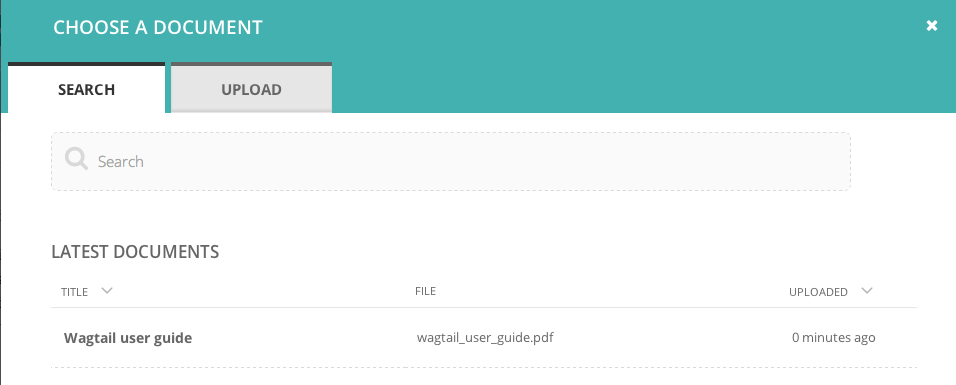
../../_images/screen28_docs_form.png
Next Previous

© Copyright 2014, Torchbox. Revision 8edff405.

Built with Sphinx using a theme provided by Read the Docs.